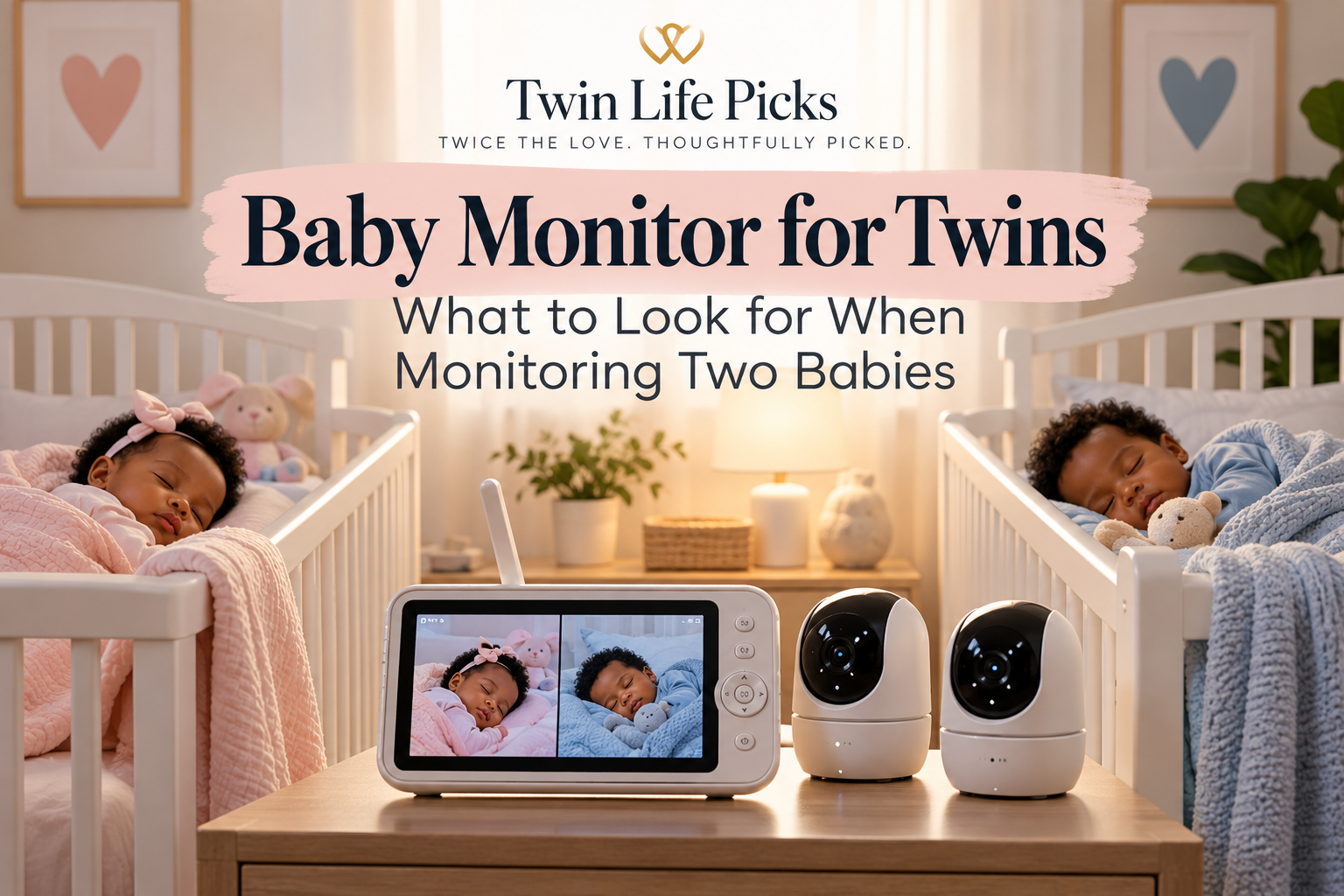
Do You Need Two Baby Monitors for Twins?
Not necessarily.
If your twins sleep in the same room, you may be able to use one monitoring system with a camera positioned so that both cribs are visible. However, as your babies grow—or if their cribs are positioned farther apart—having a system that supports multiple cameras can make monitoring easier.
For twins sleeping in separate rooms, a monitor that allows you to switch between two cameras or view both babies on a split screen can be especially useful.
The goal isn’t simply to have more equipment. It’s to find a setup that lets you comfortably keep an eye on both babies.
Look for a Monitor That Supports Two Cameras
One of the most useful features for twin families is the ability to connect more than one camera to the same parent unit or app.
You might start with one camera while your newborn twins share a nursery and add another later as your family’s needs change.
Two cameras can also give you different viewing angles within the same nursery, which can be helpful when the cribs are on opposite sides of the room.
Consider Split-Screen Viewing
Split-screen monitoring allows you to see feeds from two cameras at the same time.
Instead of constantly switching from Baby A’s camera to Baby B’s camera, you can quickly check both babies on one screen.
For parents of twins, this can be especially convenient during naps and nighttime.
Think About Wi-Fi vs. Non-Wi-Fi
You’ll find both Wi-Fi and non-Wi-Fi baby monitors, and each has advantages.
Wi-Fi monitors can allow parents to view their babies through a smartphone app, which can be convenient when you’re away from the nursery or another caregiver is watching the babies.
Non-Wi-Fi monitors typically connect the camera directly to a dedicated parent unit. Some families prefer the simplicity of having a separate screen rather than relying on their phones.
Neither option is automatically best for every twin family. Consider how and where you expect to use the monitor most often.
Night Vision Matters With Two Babies
A good monitor should provide a clear enough nighttime view for you to check your twins without entering the nursery every time.
When comparing monitors, look at the quality of the night vision and whether you’ll be able to distinguish what’s happening in each baby’s sleep space.
This becomes particularly important if you’re trying to determine which twin is awake without disturbing the other.
Establishing consistent sleep routines can also make nighttime with two babies more manageable. See our Twin Sleep Schedule for practical tips on creating a routine for two babies.
Pay Attention to Camera Movement and Viewing Angle
Pan, tilt, and zoom capabilities can be particularly helpful in a twin nursery.
If one camera needs to cover two cribs, being able to adjust the viewing angle from the parent unit or app may make it easier to move between the babies without physically entering the room.
Think about your nursery layout before choosing a monitor. A feature that seems unnecessary for one baby can become surprisingly useful when you’re trying to see two.
Don’t Forget About Audio
Video gets a lot of attention, but audio is just as important.
Look for a monitor that allows you to clearly hear what’s happening in the nursery. Some systems also offer two-way audio, allowing you to speak through the monitor.
As you get to know your twins’ individual sounds and routines, audio can help you determine whether someone needs you before you even look at the screen.
Battery Life and Range Are Worth Considering
Twin parents already have plenty of devices to keep charged.
If you’re choosing a monitor with a portable parent unit, consider its battery life and how frequently it will need to be charged.
Range is another consideration, particularly if you have a larger or multi-level home. You want to be able to move around your home while maintaining a reliable connection to the nursery.
A Baby Monitor Our Family Uses With Twins
When you’re researching baby gear, recommendations from families actually raising twins can be especially helpful.
The baby monitor my daughter uses with her twins is the same one but if you are looking for one with Wifi checkout the Twin Baby Registry but this one gives our family firsthand familiarity with how the monitor fits into everyday life with two babies. Has a 7″ split screen with audio, night vision, and doesn’t require Wi-Fi.
As an Amazon Associate, I earn from qualifying purchases.
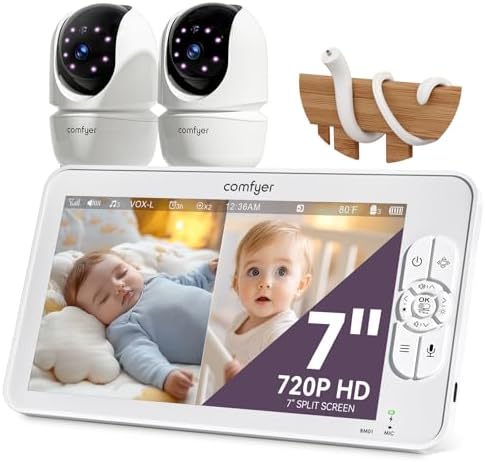
- 【Split-Screen Monitoring for Twins】Equipped with two 1080P cameras, this Comfyer dual baby monitor enables 2/4 split-scr…
- 【Easy Setup & No WiFi Needed】This is a no wifi baby monitor using advanced 2.4GHz FHSS and digital encryption technology…
- 【13H Video or 2 Days Audio】 Built with a large 6000mAh rechargeable battery, this two camera baby monitor delivers up to…
Where Should You Position a Baby Monitor for Twins?
Your monitor should give you a useful view of your babies while keeping cords and equipment safely away from their sleep spaces.
For current safe-sleep and monitor-placement guidance, follow the monitor manufacturer’s installation instructions and recommendations from trusted child-safety organizations.
As your twins grow and become more mobile, periodically check the setup to make sure cords and equipment remain inaccessible.
What If Your Twins Eventually Sleep in Separate Rooms?
This is another reason a monitor that can expand to additional cameras can be useful.
Your newborn setup doesn’t necessarily need to be your permanent setup.
A system that works with one camera today but supports another camera later can give you flexibility as your twins’ sleep arrangements change.
Choosing What Works for Your Twin Family
There’s no single monitoring setup that will work for every family with twins.
Some parents may be perfectly comfortable with one camera covering two cribs. Others may prefer a camera for each baby and the ability to see both feeds simultaneously.
Before buying, think about:
whether your twins share a room
the distance between their cribs
whether you want split-screen viewing
whether you’ll eventually need two cameras
Wi-Fi versus a dedicated parent unit
night vision and audio quality
camera movement and viewing angle
battery life and range
The best setup is one that makes it easier for you to check on both babies without adding unnecessary complexity to an already busy twin routine.
Preparing for Life With Two Babies?
Choosing a baby monitor is only one part of getting ready for twins.
If you’re still preparing your nursery and baby gear, read our Twin Baby Registry Guide to see what you may need two of and what your twins can share.
You may also find our Preparing for Newborn Twins Guide helpful as you get your home and routines ready for two new babies.